
Reports & dashboards
Everything in the Insights group is read-only, so any role from Viewer up can read it. It’s where you watch the business: what’s active, what’s being used, and what’s running. (Viewer and up)
Dashboard
Section titled “Dashboard”Insights → Dashboard is the at-a-glance view. Along the top, eight KPI cards: active subscriptions, trials, active users, license utilization, churn, peak sessions, trial conversions and new entitlements. Below them:
- a trend chart over time,
- the entitlement mix and movement (new / converted / churned),
- the trial funnel,
- quota health and an at-risk panel,
- top consumers and usage by plan,
- a world map of where your customers are.
On plans with in-app feature ratings, top-rated features and value-delivered panels appear as well.
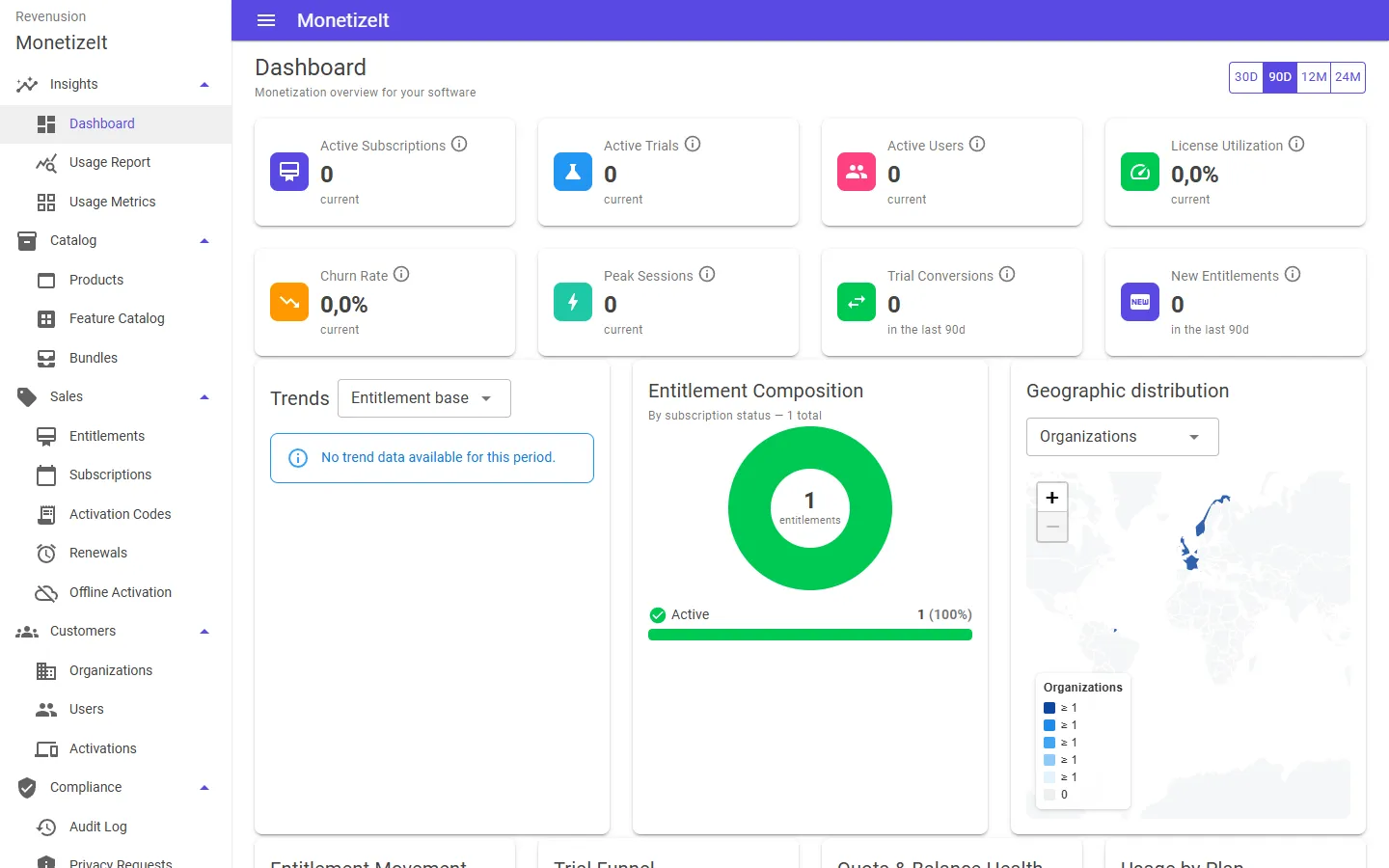
The Provision Portal dashboard — active subscriptions, trials, utilization, the entitlement mix and customer geography.
Usage by metric
Section titled “Usage by metric”Insights → Usage Metrics drills into a single metric over a period — its total, average, peak, low, latest and the change versus the previous period. Use it to spot a customer approaching a quota or a metric trending up.
Usage report
Section titled “Usage report”Insights → Usage Report is the detailed report: breakdown tables and summary cards you can read by entitlement and metric, with a CSV export of the result. This is the page to pull figures from for a renewal conversation or an internal review.
Feature ratings
Section titled “Feature ratings”If you run in-app feature ratings, the results surface here too: features ranked by how users rate them, and the dashboard’s top-rated-features and value-delivered panels. Ratings are collected from inside your application through the SDK — the capability is described under See what’s happening.
Session activity
Section titled “Session activity”To see what’s running rather than how much is used, look at Customers → Activations — the issued licenses with their principal, status and expiry — or an entitlement’s Issued Licenses and Usage Monitoring tabs for one grant in context.
Audit trail
Section titled “Audit trail”Administrators also have Compliance → Audit Log — an account-wide, timestamped trail of who changed what (entitlements, users, settings) with before/after detail. It’s an admin view, not part of Insights; Viewers and the operational roles don’t see it.
- Act on what you see → Renewals, credits & activations
- How usage is counted → Metering, quotas & credits